 A functional guide for Handshake users A functional guide for Handshake users

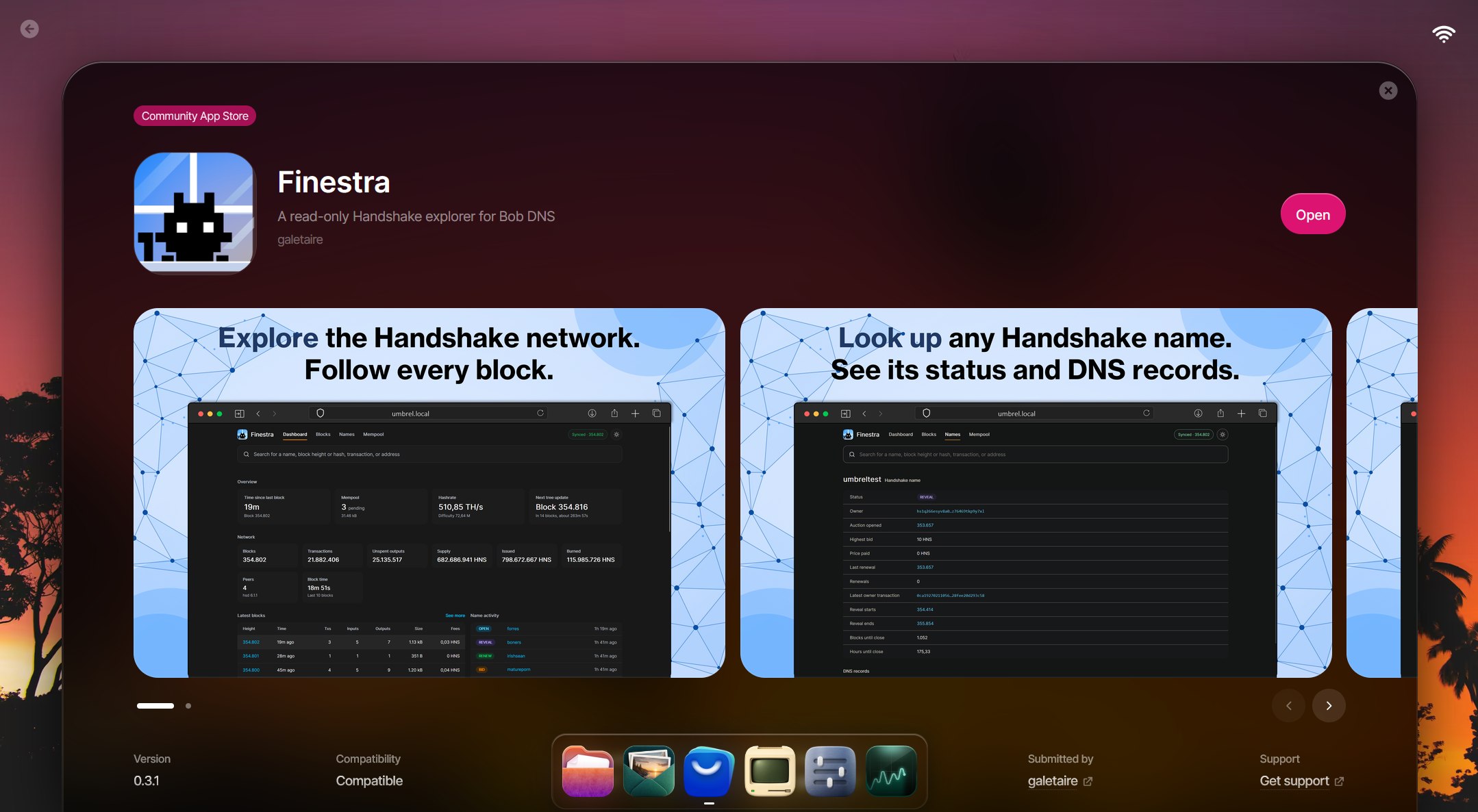
Finestra is a self-hosted Handshake explorer that runs on your Umbrel and reads its data directly from your own Bob DNS full node.
Note: UmbrelOS is an open-source, Debian-based operating system designed to turn a computer, mini PC, Raspberry Pi or server into a user-friendly personal cloud and self-hosting hub. Its key features are a simple web interface easy to manage from your browser, and a plentiful App Store.
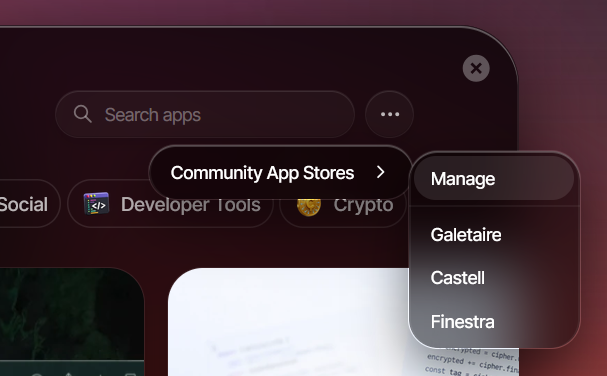
Before installing Finestra, you need to install Bob DNS, run it in full node mode and, ideally, wait until the node is fully synced. This is required because Finestra reads its data from the Bob DNS full node. Once these steps are done, installing Finestra is as simple as installing any other Umbrel community app: go to App Store → Community App Stores → Manage, paste https://github.com/galetaire/finestra and install Finestra.
Why umbrelOS? I find it to be one of the best ways to have a hub at home, not just for running Bitcoin or Handshake apps, but also for managing things like Nextcloud, Pi-hole and other apps that need to run 24/7, all with very low power consumption.
Its convenience as a home server and how easy it is to port apps to it make it a perfect fit for the Handshake ecosystem. That's the main reason I started porting Handshake apps. These are the Handshake apps you can currently install on Umbrel:
https://github.com/galetaire/bob-dnshttps://github.com/galetaire/finestrahttps://github.com/galetaire/castellThey aren't in the official App Store yet, but I'm gradually submitting them and hope they'll be published eventually. In the meantime, they're very easy to install as community apps.
My plan is to keep bringing more Handshake apps to Umbrel, apps that help the project grow and contribute to a more sovereign internet. I encourage anyone who has a spare computer or Raspberry Pi (8 GB of RAM minimum recommended) to try Umbrel out and install these Handshake apps.
 Fingertip
 Bob wallet
 Yeil DNS
 Castell
 Coins faucet